> For the complete documentation index, see [llms.txt](https://docs.secured.finance/llms.txt). Markdown versions of documentation pages are available by appending `.md` to page URLs; this page is available as [Markdown](https://docs.secured.finance/sf-yield-vault/getting-started/platform-guide.md).
# Platform Guide
Every tab and field of the SF Yield Vault interface
This page tours the vault view in the [**SF Yield Vault app**](https://vaults.secured.finance/) — what each tab shows and what the fields mean. For step-by-step walkthroughs, see [Deposit assets](/sf-yield-vault/getting-started/deposit-assets.md) and [Withdraw assets](/sf-yield-vault/getting-started/withdrawing-assets.md).
Figures on this page are sourced from Secured Finance's indexing service, which tracks the vaults on-chain; your own position is read directly from the vault contract. Values refresh automatically, though indexed figures can lag the chain by a few minutes.
## Vault header
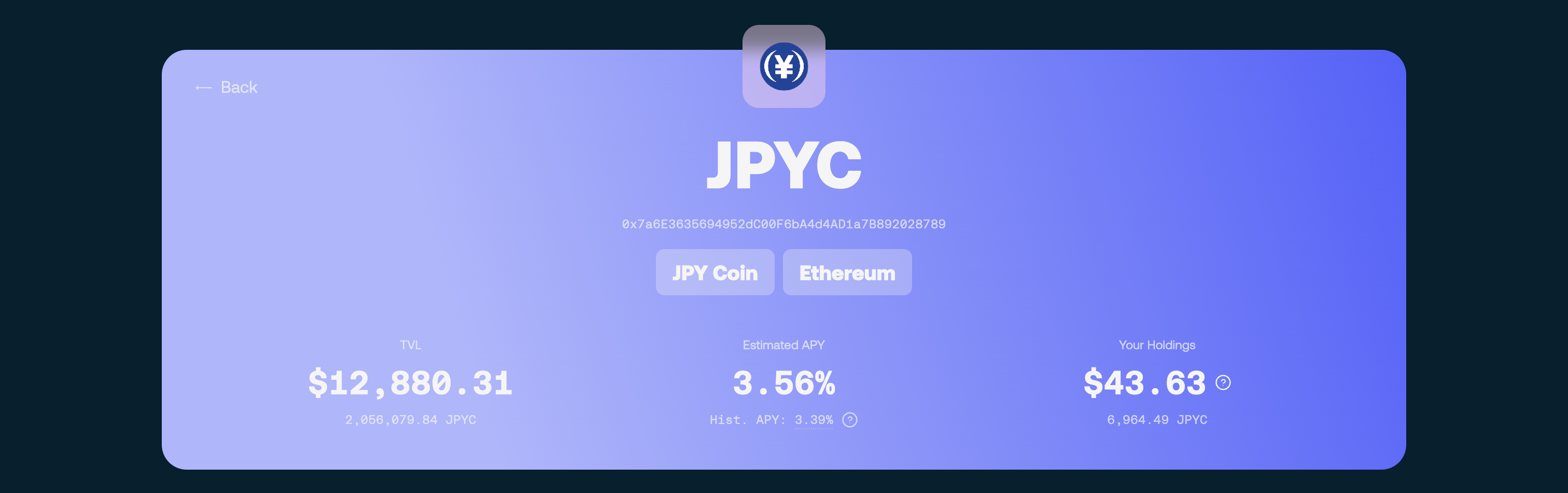
The top of the vault page shows the vault's identity and headline numbers: the vault name and contract address, the network and asset (for example, JPYC on Ethereum), **TVL**, **Estimated APY** (with the historical APY shown beneath it), and — once connected — **Your Holdings**, your position in asset terms.
Vault header
## Deposit and Withdraw
Two tabs below the header handle the actions you can take.
The action tabs
**Deposit** moves assets from your wallet into the vault:
| Field | Meaning |
| -------------------- | -------------------------------------------------------------- |
| **From wallet** | The asset you send (e.g. JPYC). **Max** uses your full balance |
| **To vault** | The vault share token you receive (e.g. yvJPYC) |
| **You will receive** | Estimated shares at the current price per share |
**Withdraw** redeems shares back to your wallet:
| Field | Meaning |
| -------------------- | ------------------------------------------------------------------------------------------------------------------------------------------------------------------------------------------------------------------ |
| **From vault** | The share token you redeem (e.g. yvJPYC). **Max** fills in the largest amount currently withdrawable — your full position when liquidity allows ([details](/sf-yield-vault/getting-started/withdrawing-assets.md)) |
| **To wallet** | The asset returned (e.g. JPYC) |
| **You will receive** | Estimated assets at the current price per share |
Every action — approvals, deposits, withdrawals — is confirmed through your wallet and completes on-chain.
## About
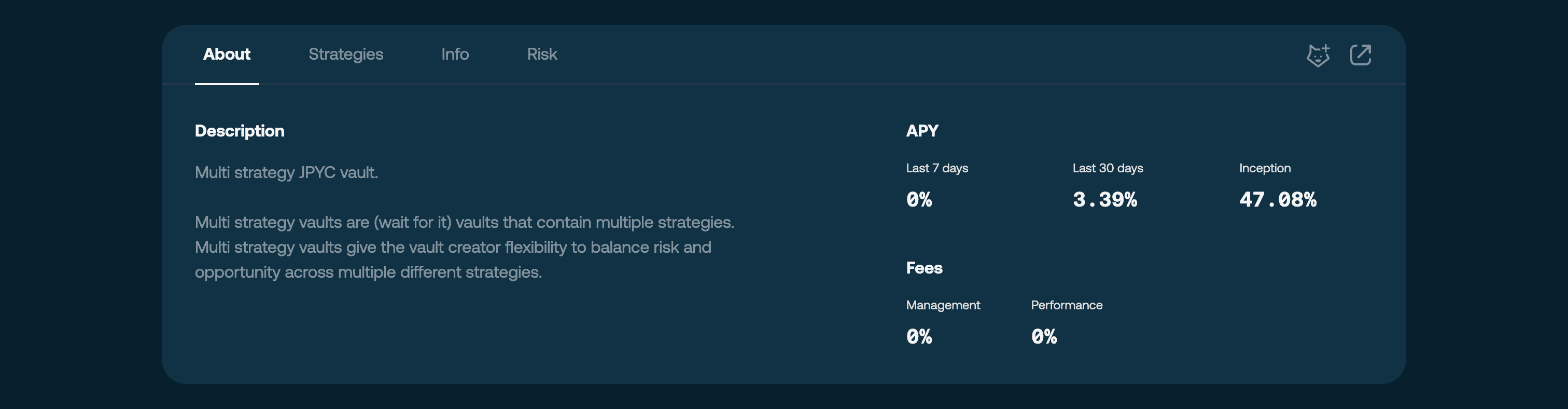
A short description of the vault, its APY over **Last 7 days / Last 30 days / Inception**, and its **Fees** (management and performance). Current fee values for both vaults are listed in [Fees](/sf-yield-vault/core-mechanics/vault-system-overview.md#fees).
The About tab
## Strategies
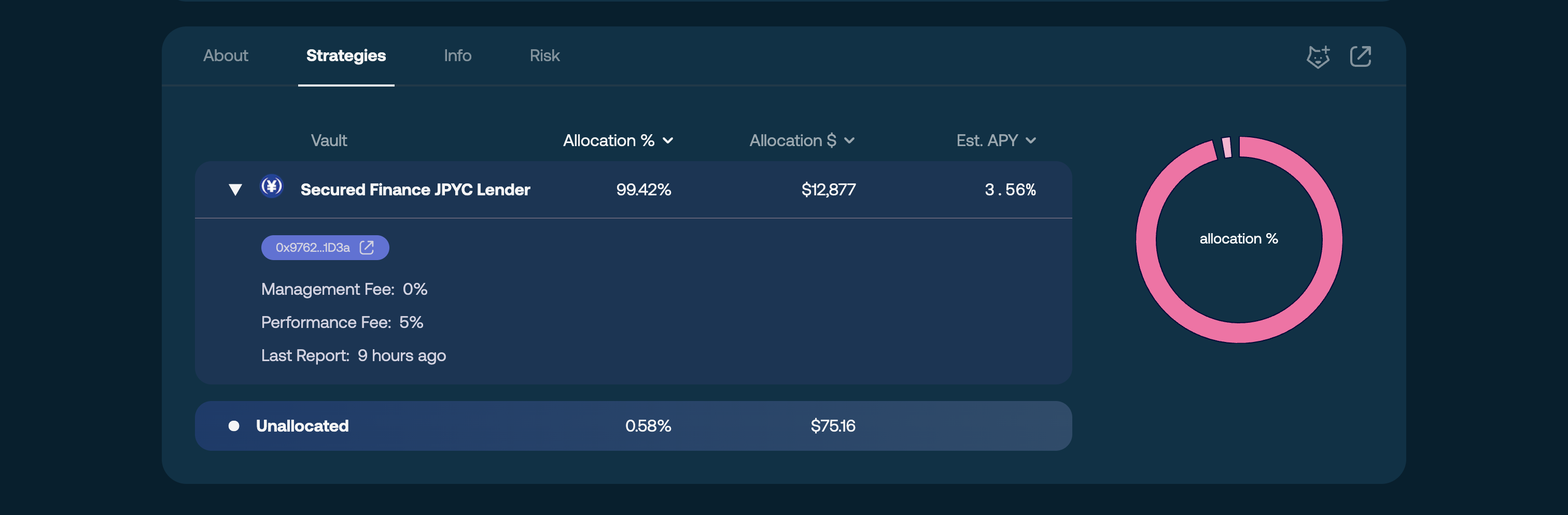
How the vault's assets are allocated: each strategy's name (for example, **Secured Finance JPYC Lender**), its **Allocation %**, allocation in dollar terms, and **Est. APY**. Expanding a strategy row reveals its contract address, per-strategy fees, and the time of the last report. Assets not yet deployed appear as an **Unallocated** balance. This tab is informational — allocation cannot be changed by users.
The Strategies tab
## Info
Vault metadata and on-chain references for those who want the technical context, including the current **Price Per Share**.
The Info tab
## Risk
The risks of depositing — smart contract, strategy, and liquidity risk. Review this tab before depositing; it complements the strategy pages' [risk notes](/sf-yield-vault/core-mechanics/available-vaults-and-strategies.md).
The Risk tab
## Related
* [Deposit assets](/sf-yield-vault/getting-started/deposit-assets.md) — first deposit, step by step
* [Withdraw assets](/sf-yield-vault/getting-started/withdrawing-assets.md) — redeeming shares
* [Vault System Overview](/sf-yield-vault/core-mechanics/vault-system-overview.md) — the mechanics behind the numbers